The Ultimate HubSpot Audit Checklist
In 10 minutes, you'll self-assess your current HubSpot setup, spot the most critical problems, and learn how to fix them.
Download Now

Managing your contacts efficiently is key to getting the most out of HubSpot. One powerful way to do this is by filtering your contacts to find exactly who you're looking for.
Filters save tons of time, whether it's to find prospects who haven't been contacted recently or to segment clients for a targeted campaign.
Today's post focuses on how to filter your contacts, using the simple but effective example of finding contacts who haven't been contacted this month. Let's get started!
How to Use Filters in HubSpot
This video is part of our HubSpot Contact Management for Beginners series. Don't miss out on the full guide! Learn about importing, exporting contacts, and more by watching the complete video here.

Easily Filter Contacts: Step-By-Step
Here's a step-by-step guide to easily filter and find contacts in HubSpot:
- Go to the Filters Tab: Start by heading to the Contacts section in HubSpot, where you manage your contact list. You’ll see the Filters tab, which is your gateway to narrowing down your contact list.
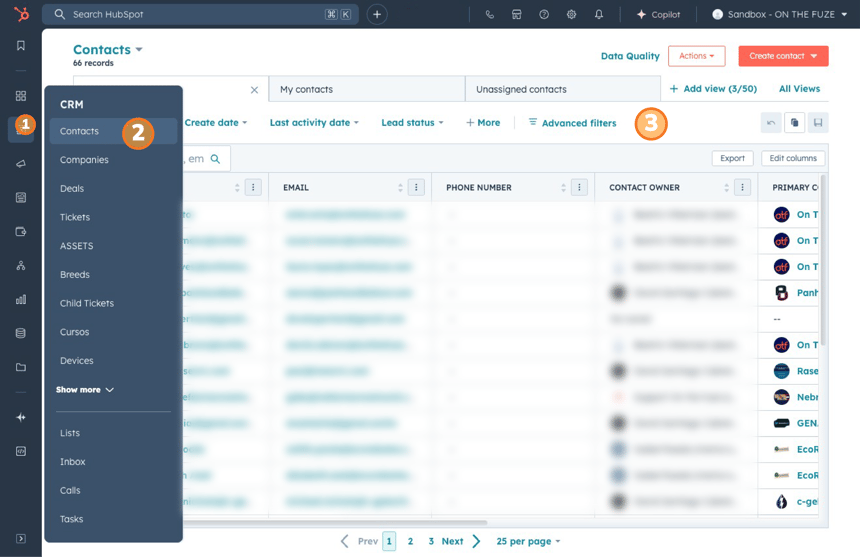
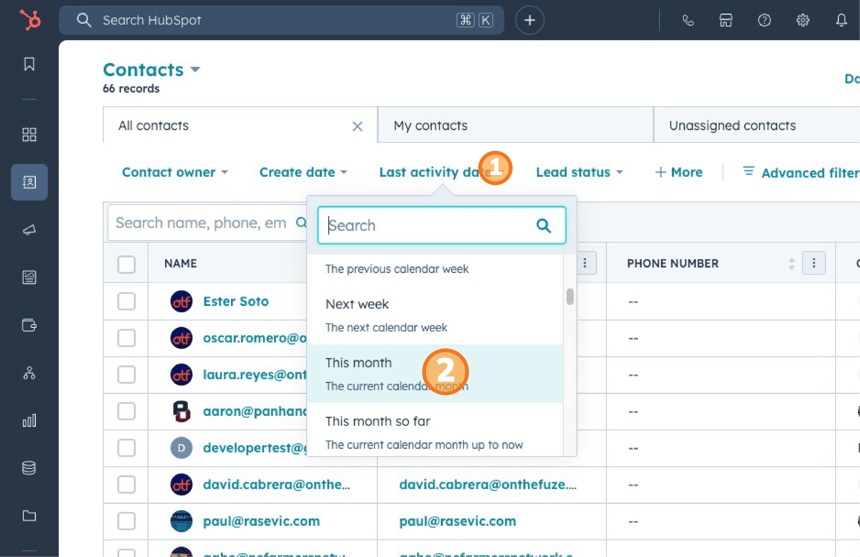
- Choose the Filter You Want to Use: For example, to find contacts who haven't been contacted this month, click on the Last Activity Date filter. HubSpot lets you select a range of dates or easily find contacts with no activity in the past month. This makes it simple to track engagement and see who might need a follow-up.
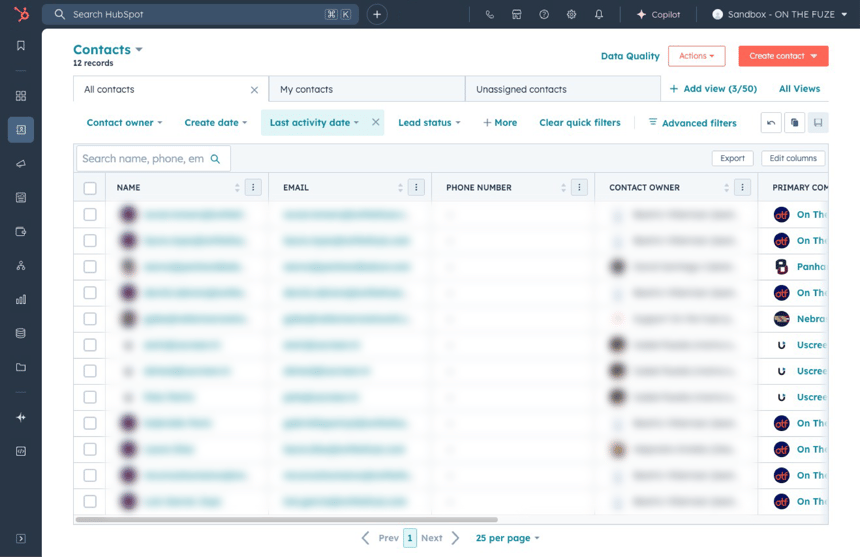
- Segment Your Data: Once you’ve applied your filter, you’ll see the list of contacts that meet your criteria. This segmentation lets you focus on specific groups of people based on their activity, helping you avoid missing any important follow-ups.
- Play Around With Filters: Don’t be afraid to experiment with different filters. You can filter by things like lead status, company size, or location to narrow your search even further. This flexibility allows you to easily identify leads or customers that require different levels of attention, making your workflow more efficient.
💡 Pro Tips for Filtering Contacts
- Use Multiple Filters: Combine filters for even more precise results. For example, filter by both Last Activity Date and Lead Status to find contacts who haven’t been engaged but are still marked as prospects.
- Save Your Filters: If you often filter your contacts in the same way, save your filter settings. This way, you won’t need to apply the same filters every time you visit your contacts list. Just click the Save Filter button, and you’ll have quick access in the future.
- Export Filtered Contacts: Once you’ve applied your filters, you can export the contacts to a CSV file. This is helpful if you want to use the list outside of HubSpot, like for a targeted email campaign or offline outreach.
- Regularly Update Filters: Set a reminder to revisit your filters at least once a month. As your contacts change and new information is added, you may need to adjust your filters to stay aligned with your goals.
📺 Want to see more helpful tutorials? Click HERE to master HubSpot 📺