HubSpot Ad Tool Setup Checklist
Connect, track, target, and prove your ad spend — so every dollar is tied to a real contact, a real deal, and real revenue.
Download Now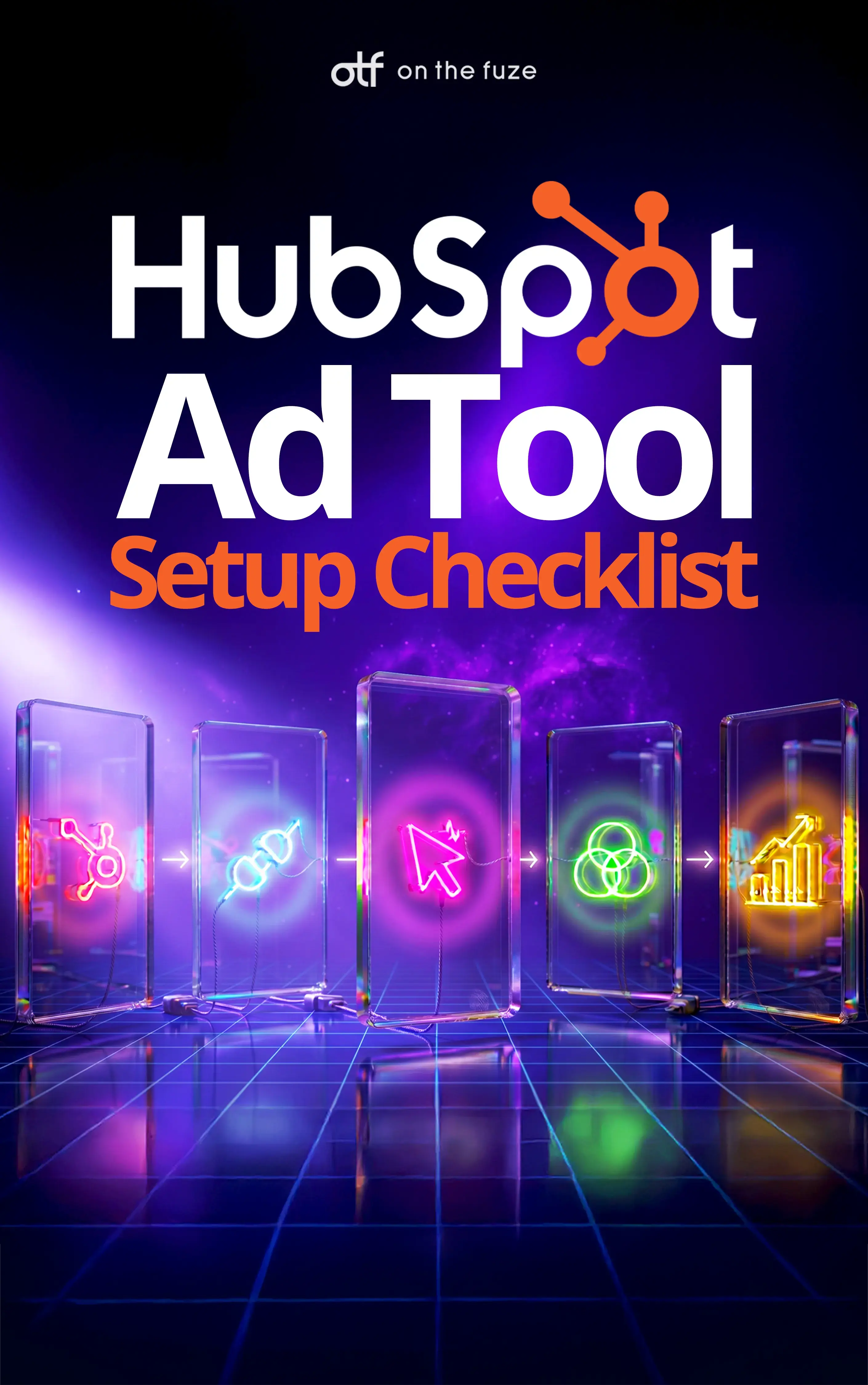
If you're spending money on Google, Meta, LinkedIn, or TikTok but can't say which ads actually produced revenue, you're not alone—and it's costing you more than you think.
This is one of the most expensive blind spots we see with our clients. Leadership approves the ad budget, the campaigns run, the lead count looks fine—but nobody can connect a single dollar of ad spend to a single closed deal. So budget keeps flowing to whatever generates the cheapest leads, not the leads that become customers.
The HubSpot Ads tool exists to close that gap. Used correctly, it turns anonymous clicks into named contacts, links those contacts to real deals, and tells you exactly which campaigns are funding your pipeline.
What Is the HubSpot Ads Tool?
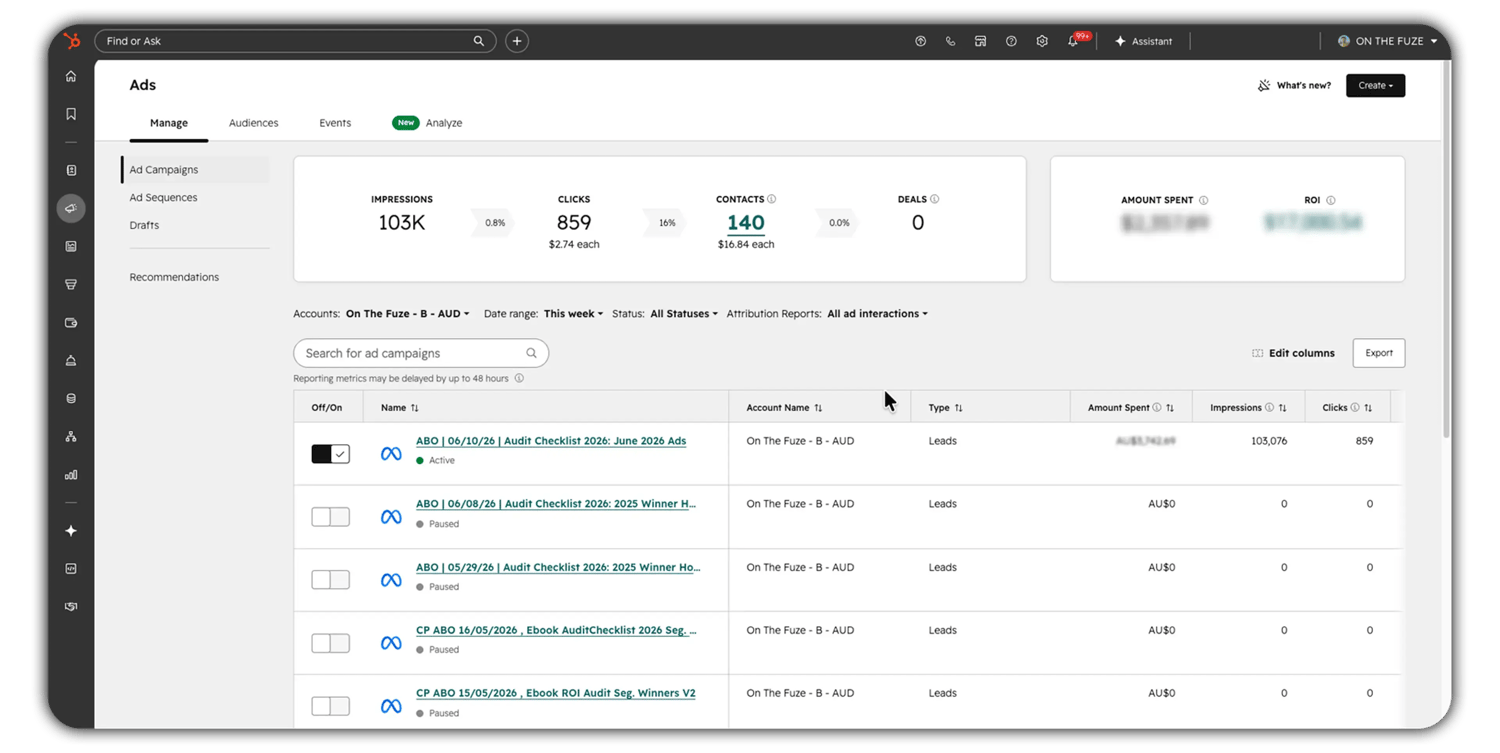
The HubSpot Ads tool is a bridge between your advertising platforms and your CRM—built to connect ad spend to actual revenue, not just clicks. It is not a replacement for Google Ads or Meta Ads Manager. It's the intelligence layer that sits on top of them. Native ad platforms optimize for network actions—impressions, clicks, and form fills tied to anonymous cookies. The HubSpot Ads tool optimizes for identifiable people and verified revenue. It pulls your spend and performance data in, matches it to real contacts in your CRM, and follows those contacts through your sales pipeline until a deal closes.
🏆 Elite Partner Tip: The single biggest mistake we fix is treating the Ads tool like a second ad manager. It isn't one. Keep your bidding, budgets, and creative testing in the native platforms. Use HubSpot for tracking, audiences, and closed-loop ROI. When that division of labor is clear, the data finally lines up.
Can You Run Ads Through HubSpot?
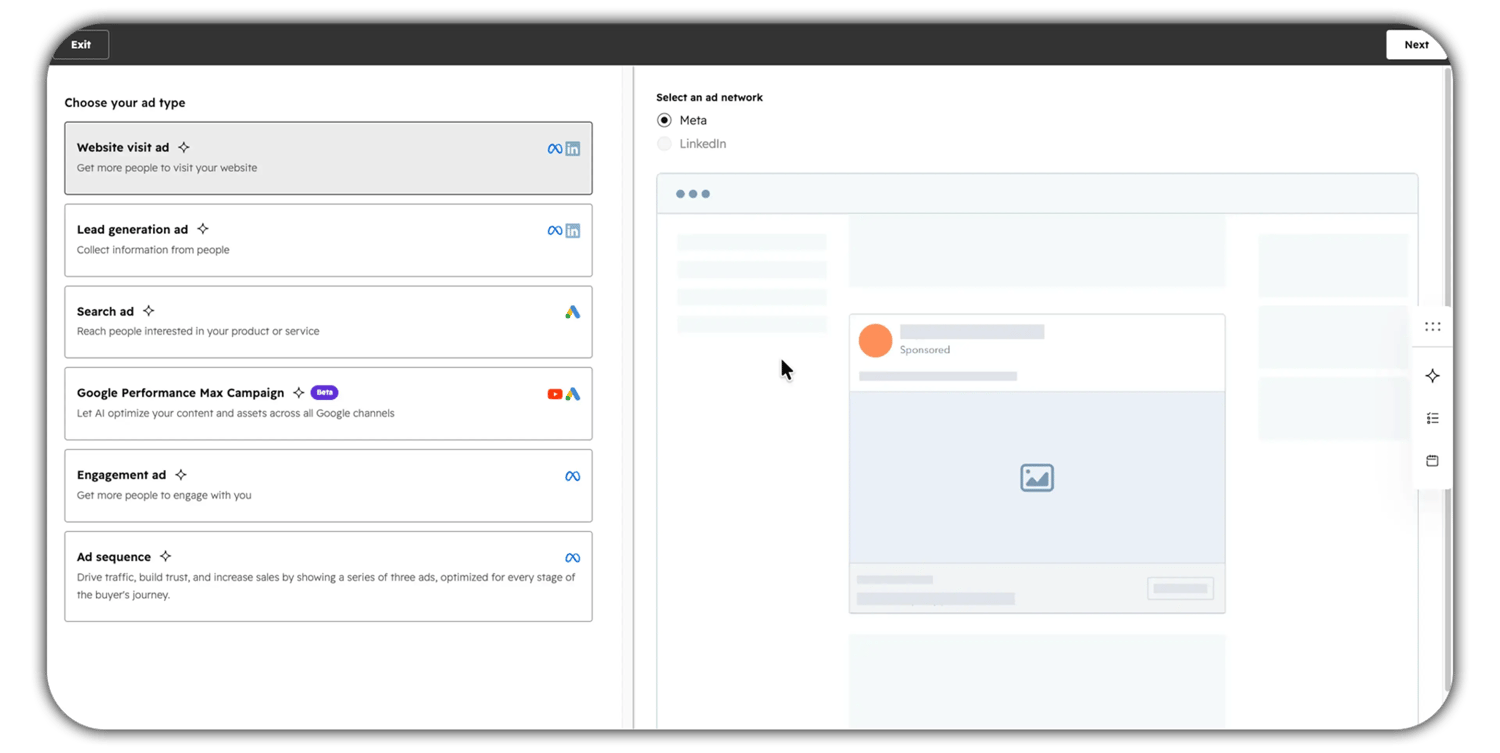
Yes—but with an important caveat. You can create and manage some ads directly inside HubSpot, while the heavy lifting of media buying stays in the native platforms. Understanding where each task belongs is what separates a clean setup from a messy one. What you can do directly in HubSpot:
- Connect your Google, Meta (Facebook and Instagram), LinkedIn, and TikTok ad accounts
- Create simplified ad campaigns—including Facebook and LinkedIn lead ads, LinkedIn ads, and Google search ads
- Pause or resume existing campaigns and individual ads
- Build and sync targeting audiences from your CRM data
- Track, attribute, and report on performance across every connected network in one place
What you should still do on the native platforms:
- Set bid caps, budgets, and bidding strategies
- Run multivariate creative tests
- Build complex ad groups and advanced ad formats
- Delete campaigns (this can only be done in the ad network, not in HubSpot)
So can you run ads through HubSpot? Yes—and for a lean team, creating lead ads and search ads inside HubSpot is genuinely convenient. But the platform's real power isn't ad creation. It's connecting every ad, on every network, to the contacts and deals they produce.
🏆 Elite Partner Tip: If you're a small team running straightforward lead-gen campaigns, building them inside HubSpot keeps everything in one workflow. If you're running sophisticated, high-budget campaigns, build in the native platform and let HubSpot handle the tracking. Match the tool to the complexity.
How Do HubSpot Ads Work?
HubSpot ads work by following a person from the ad they clicked all the way to the revenue their deal eventually generates. Instead of stopping at the click like a native ad platform does, HubSpot connects each ad to a real contact in your CRM and keeps tracking that relationship through your pipeline. That end-to-end connection is what makes closed-loop revenue reporting possible. Here is the full journey, step by step:
- The tag is applied. When you enable auto-tracking, HubSpot automatically appends tracking parameters (UTMs and HubSpot's own
hsa_identifiers) to the destination URL of every active ad. - The click happens. A prospect clicks your ad and lands on your website, carrying those parameters with them in the URL.
- The code reads it. The HubSpot tracking code—a lightweight snippet on your site—reads the parameters and drops a tracking cookie in the visitor's browser.
- The contact is created. If that visitor submits a form, HubSpot links the stored ad data to the new contact record, stamping it with the exact campaign, ad group, and keyword that produced them.
- The revenue loops back. Months later, when sales moves the associated deal to Closed Won, HubSpot attributes that revenue back to the original ad—giving you true ROI instead of a proxy metric like cost-per-click.
HubSpot does not measure isolated clicks. It measures identifiable humans and follows them all the way to revenue. That's why the numbers in HubSpot will rarely match your ad platform exactly—and why HubSpot's numbers are the ones tied to your bank account.
What Ad Networks Does HubSpot Support?
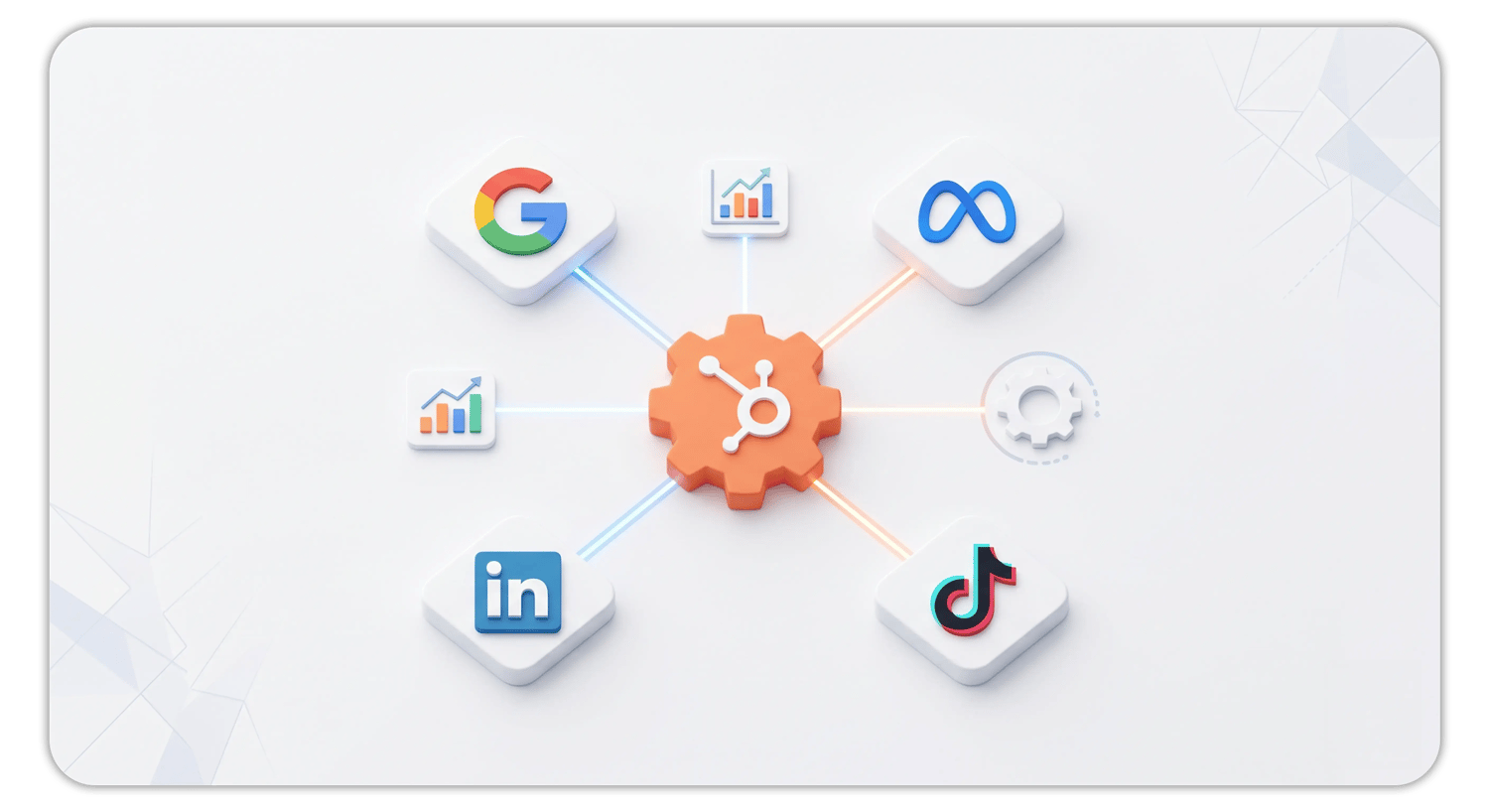
HubSpot natively supports Google Ads, Meta Ads (Facebook and Instagram), LinkedIn Ads, and TikTok Ads. As of 2026, TikTok is fully integrated—covering paid ad management, organic publishing, audience building, and closed-loop revenue attribution inside HubSpot.
It's equally important to know what isn't supported for automated contact attribution: Pinterest Ads, X (formerly Twitter), and broad programmatic display networks do not have native, deep integrations.
| Network | Connect & Report | Create Ads in HubSpot | Contact Attribution |
| Google Ads | Yes | Search ads | Yes (most ad types) |
| Meta (Facebook & Instagram) | Yes | Lead ads | Yes (most ad types) |
| LinkedIn Ads | Yes | Lead ads & standard ads | Yes (most ad types) |
| TikTok Ads | Yes | Yes (via integration) | Yes |
| Pinterest / X / Programmatic | Not native | No | No |

Which HubSpot Tier Do You Need for the Ads Tool?
The Ads tool is available on every tier, including Free—but ad-spend limits, audience features, and attribution depth scale up with your subscription. For most growing SMBs, the practical question is whether your monthly tracked ad spend and automation needs have outgrown Starter.
| Feature | Free / Starter | Professional | Enterprise |
| Monitored ad spend (per 30 days) | $1,000 | $10,000 | $30,000 |
| Connected ad accounts | Up to 3 | Up to 50 | Up to 50 |
| Audience sync | Limited (up to 2 contact lists) | Standard native limits | Expanded native limits |
| Workflow automation | Not available | Included | Included |
| Attribution modeling | Last-interaction only | Core models | Multi-touch (e.g., Full Path) |
If you exceed your rolling 30-day ad-spend limit, tracking, reporting, and audience syncing keep working. You're only temporarily blocked from creating new ads or toggling campaign status inside HubSpot until the window resets. Your data stays intact.
🏆 Elite Partner Tip: Don't upgrade tiers just for a higher spend cap. Upgrade when you need workflow-powered audiences (Professional) or multi-touch attribution (Enterprise). Those are the features that change how you make decisions. The spend cap is rarely the real reason to move up.
How Do You Connect and Set Up the HubSpot Ads Tool?
You set up the Ads tool in four moves: connect the account, turn on auto-tracking, confirm your tracking code is live, and then build your audiences.
Step 1: Connect Your Ad Account
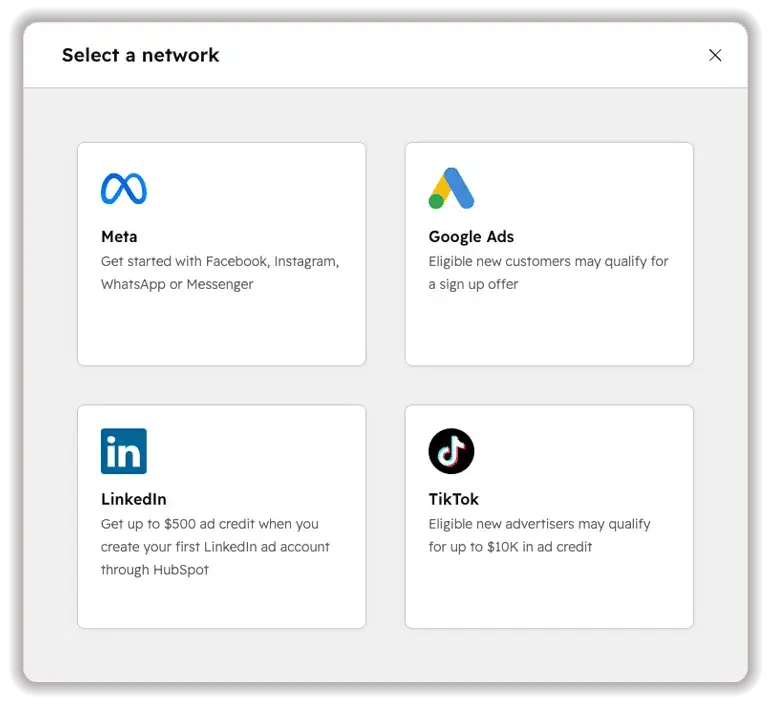
In HubSpot, go to Settings (gear icon) → Marketing → Ads, then click Connect account. Choose your network, authenticate through the secure OAuth pop-up, and grant HubSpot read/write permissions.
You'll need the right permissions on both sides, or the connection will fail:
- HubSpot: "Publish" access to the Ads tool (granted by a Super Admin)
- Google Ads: Admin access to the Google account
- Meta: "Manage Ad Account" permission in Facebook Business Manager (admin on the Facebook Page is not enough)
- LinkedIn: "Account Manager" access in Campaign Manager
Step 2: Turn On Auto-Tracking
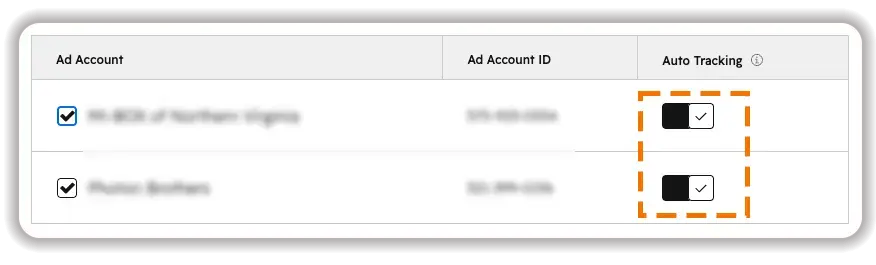
In the same settings panel, switch Auto-tracking to ON for each connected account. This is what injects the UTM and hsa_ parameters into your ad URLs. Without it, HubSpot cannot attribute contacts to ads—period.
Step 3: Verify Your Tracking Code Is Installed
Confirm the HubSpot tracking code is firing on every page of your site.
- If your site is hosted on HubSpot CMS, this is automatic.
- If you're on WordPress, Shopify, Wix, or similar, the JavaScript snippet must be added to your site header or deployed through a tag manager like Google Tag Manager.
Read more: How to Install HubSpot Tracking Code: Complete Step-by-Step Tutorial
Step 4: Set Up Your Audiences
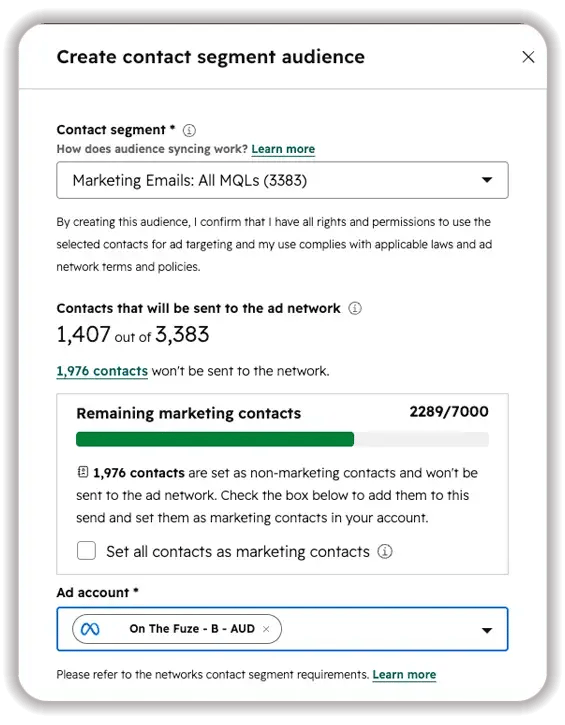
Go to Marketing → Ads → Audiences, click Create audience, choose a contact segment, and select the network to sync to. This powers your targeting, retargeting, and suppression lists.
Step 5: Lock In Closed-Loop Reporting
Revenue attribution only works if your sales process cooperates. Deals must move through pipeline stages consistently, land in your defined Closed Won stage, and—critically—stay associated with the contact who originally clicked the ad. If sales doesn't attach contacts to deals, your ROI reports will show zero return no matter how well the ads performed.
🏆 Elite Partner Tip: Before you connect a single account, get marketing and sales in a room to agree on lifecycle stages and what Closed Won means. Closed-loop reporting lives or dies on deal hygiene. We've audited dozens of accounts where the ads were great and the reports said "zero ROI"—every time, the cause was deals that weren't linked to contacts.
How Does HubSpot Attribute a Contact to an Ad?
HubSpot attributes contacts using auto-tracking: it tags the ad, reads the tag on your site, cookies the visitor, and connects that cookie to the contact when they convert. This is the engine behind every ad ROI report, so it's worth understanding the two things it depends on.
First, tracking is not the same as reporting. Reporting shows network-level data like impressions and clicks—it works even for ad types HubSpot can't fully track. Tracking is the deeper layer that applies the parameters required to attribute a contact to an ad. Some formats report but can't attribute.
Second, attribution requires a same-session conversion for "last interaction" credit. If someone clicks your ad, leaves, and comes back hours later in a new session to fill out a form, they won't qualify for last-ad-interaction credit. This is normal—not a broken tracking code.
How Do You Build and Sync Ad Audiences in HubSpot?
You build audiences from CRM segments and sync them to ad networks, so you're targeting verified people instead of generic demographic guesses. This is where your first-party data becomes a genuine competitive advantage. Three audience plays deliver the most value:
- Retargeting audiences — re-engage known leads who haven't converted yet.
- Suppression audiences — exclude existing customers from prospecting ads so you stop paying to acquire people you already have.
- Lookalike audiences — sync your best customers as a "seed" so the network finds net-new people who behave like them.
When you sync, the network hashes the emails and phone numbers to protect privacy, then matches them against its own users. A few constraints to plan around:
- Syncing takes time—expect a "Syncing" status for 24 to 48 hours before an audience fully propagates.
- Networks enforce minimum matched-audience sizes before you can target: Meta needs 20, Google Display needs 100, LinkedIn needs 300, and Google Search needs 1,000 matched users.
🏆 Elite Partner Tip: Always build audiences from Active Lists, never Static Lists. Active lists update themselves in real time—bounced emails, disqualified leads, and recent customers drop out automatically. That keeps your targeting clean and your match rates high without anyone touching a spreadsheet.
How Do You Measure True Ad ROI with Closed-Loop Reporting?
Closed-loop reporting connects the ad a person clicked to the revenue their deal eventually generated—so you can calculate real ROI, not cost-per-click. It's the whole reason the Ads tool exists.
Here's the logic: because HubSpot already knows which ad brought each contact in, it simply waits. When sales advances that contact's deal to Closed Won, HubSpot pulls the deal's revenue and credits it back to the originating campaign. Now you know which campaigns are funding your pipeline, instead of which ones are the cheapest. Teams routinely discover that their cheapest leads close the least revenue and that more expensive, higher-intent keywords drive the deals worth having. Closed-loop data is what justifies moving budget toward what actually pays.
🏆 Elite Partner Tip: Watch cost per customer, not just cost per lead. A campaign with a $40 cost-per-lead that closes nothing is far more expensive than a $120 cost-per-lead campaign that fills your pipeline. The Ads tool is the only way to see that difference—and acting on it is where the ROI lives.
What Are the Limitations of the HubSpot Ads Tool?
The tool is powerful, but it operates inside real technical, privacy, and tier-based constraints—and planning around them prevents surprises. Know these before you build.
- Some ad formats can't be tracked for attribution. Any ad that doesn't send the user to an external URL can't trigger your tracking code. That includes Facebook Messenger ads, LinkedIn Message ads, and certain Meta Advantage+ formats. On Google, Performance Max and YouTube ads can't be tracked for contact attribution due to API limits—though their impressions and clicks still report.
- Audience syncs aren't instant. Budget 24–48 hours, and remember the minimum match sizes above.
- Cross-device journeys break standard tracking. If someone clicks on mobile but converts later on desktop without identifying themselves, HubSpot sees two anonymous profiles and may credit the conversion to "Direct Traffic." This is a limitation of cookie-based tracking everywhere, not just HubSpot.
- Privacy rules add steps. For audiences synced to Google for EEA/UK users, you must pass the required consent signals in HubSpot, or the audience silently fails to populate. And Apple's App Tracking Transparency continues to degrade the accuracy of click data flowing back from Meta—expect some discrepancy.
What Mistakes Should You Avoid?
The biggest mistakes with ad tools aren't technical glitches, but setup and process mistakes that quietly wreck your data. These are the ones we fix most often:
- Connecting accounts without the right permissions. Admin on a Facebook Page is not the same as "Manage Ad Account" in Business Manager. The wrong permission level is the leading cause of failed connections.
- Hardcoding your own UTMs. When auto-tracking is on, HubSpot controls the campaign-level tracking template. Manually adding custom UTMs in the ad platform creates conflicting, broken tracking strings. If you need custom parameters, set them in HubSpot's tracking template—not in the individual ad.
- Renaming live campaigns. HubSpot applies tracking parameters at the campaign level on sync. Rename a live campaign in the ad network and the parameters won't auto-update. Finalize names before launch and stick to a naming convention.
- Mistaking ad conversions for contacts. If Meta reports 120 conversions but HubSpot shows 90 contacts, nothing is broken. Ad networks count anonymous events; HubSpot counts identifiable people. Ad blockers and cleared cookies account for the gap.
- Skipping deal hygiene. No contact-to-deal association means no revenue attribution. This is the difference between "our ads have great ROI" and a report that reads zero.
- Letting an ad blocker hide your own dashboard. If the Ads tool won't load, a browser ad blocker (Ghostery, AdBlock) is almost always the culprit. Pause it for the HubSpot domain.
Advanced Plays Worth Knowing About
Once the basics are clean, a few advanced moves separate teams that report on ads from teams that compound returns on them. You don't need to implement all of these on day one—but they're where the highest ROI lives.
- Automated suppression audiences. Sync a live "current customers" list to every network so you never spend prospecting budget on people who already bought. One of the highest-ROI changes a marketer can make.
- Workflow-driven audiences (Pro/Enterprise). Trigger ad-audience membership from behavior—e.g., enroll a contact who visited your pricing page three times but didn't convert into a "Book a Demo" retargeting audience automatically.
- Offline conversion imports. Send closed-loop pipeline signals back to Google (via Enhanced Conversions for Leads). This trains Smart Bidding to chase people who behave like real buyers, not people who just fill out forms.
- Multi-touch attribution (Enterprise). Models like Full Path distribute revenue credit across the whole journey—22.5% to first touch, lead creation, deal creation, and closed deal each, with the remaining 10% spread across middle interactions. It gives executives a defensible view of how channels cooperate.
HubSpot Ads vs. Native Ad Managers vs. Attribution Tools
HubSpot isn't competing with Google and Meta for media buying—it's filling the revenue blind spot they leave behind. Native platforms optimize brilliantly for cheap top-of-funnel actions, but their visibility stops at the form fill. They never see whether that lead signed a contract or got disqualified. HubSpot supplies exactly that bottom-of-funnel context.
Against specialized attribution tools, the right choice depends on your model. Pixel-based tools like Triple Whale dominate fast-moving DTC e-commerce; modeling tools like Northbeam suit large brands planning for a cookieless future. HubSpot is the strongest fit for B2B organizations with long sales cycles, phone-based selling, and pipeline stages that live in the CRM—because the attribution is native to the same system the sales team works in every day.
Frequently Asked Questions
What ad networks does HubSpot support?
HubSpot has deep, native integrations with Google Ads, Meta Ads (Facebook and Instagram), LinkedIn Ads, and TikTok Ads. It does not natively support Pinterest, X (Twitter), or broad programmatic display networks for automated contact attribution.
Can you run ads through HubSpot?
Yes. You can connect your ad accounts and create simplified campaigns—including Facebook and LinkedIn lead ads, LinkedIn ads, and Google search ads—directly in HubSpot. Advanced bidding, budgeting, and creative testing still happen in the native ad platforms.
Do you pay for ad spend through HubSpot?
No. You pay each ad network directly for your media. HubSpot connects to the network's API only to pull in spend and performance data for reporting. Note that HubSpot caps how much ad spend it will track per 30 days based on your tier ($1,000 Starter, $10,000 Pro, $30,000 Enterprise).
How does HubSpot attribute a contact to a specific ad?
Through auto-tracking. HubSpot appends tracking parameters to your ad URLs, the tracking code on your site reads them and sets a cookie, and when the visitor submits a form HubSpot links that cookie data to the new contact record—stamping it with the exact campaign that produced it.
What happens if someone clicks an ad but doesn't fill out a form?
HubSpot still records the impression and click from the network's reporting data, but no contact is created and no individual attribution is recorded, because the visitor stayed anonymous.
Why don't HubSpot's numbers match my ad platform's numbers?
Because they measure different things. Ad networks count anonymous events; HubSpot counts identifiable people. Ad blockers, cleared cookies, and cross-device behavior all create normal, expected gaps between the two.
What's the minimum audience size to sync to an ad network?
After matching, Meta requires 20 users, Google Display requires 100, LinkedIn requires 300, and Google Search requires 1,000.
Which HubSpot tier do I need to use the Ads tool?
The Ads tool is available on all tiers, including Free. Workflow-based audience automation requires Professional, and multi-touch attribution requires Enterprise. Spend and account limits also scale by tier.
Can I delete an ad campaign from inside HubSpot?
No. You can pause or resume campaigns in HubSpot, but deleting a campaign must be done in the ad network itself.
Why won't the HubSpot Ads tool load?
Almost always a browser ad blocker (like Ghostery or AdBlock) interpreting the interface as a tracker. Pause the extension for the HubSpot domain and it will load.
Key Takeaways
- The HubSpot Ads tool connects ad spend to revenue, not just clicks. It's an attribution and audience layer on top of your ad platforms—not a replacement for them.
- Yes, you can run ads through HubSpot—lead ads and search ads especially—but keep advanced bidding and creative testing in the native platforms.
- HubSpot ads work by tagging URLs, reading those tags on your site, and stamping the originating ad onto each contact, then looping revenue back when the deal closes.
- It supports Google, Meta, LinkedIn, and TikTok. Pinterest, X, and programmatic display are not natively supported for attribution.
- Setup order matters: connect the account, enable auto-tracking, verify your tracking code, build audiences, then enforce deal hygiene for closed-loop reporting.
- Closed-loop ROI only works if sales links contacts to deals. This is the most common reason "our ads work" and "the report says zero ROI" happen at the same time.
- The Ads tool is on every tier, but workflows (Pro) and multi-touch attribution (Enterprise) are what change how you make decisions.
- The most expensive mistakes are process mistakes—wrong permissions, hardcoded UTMs, renamed campaigns, and missing deal associations.
- A regular HubSpot audit is the most reliable way to keep tracking accurate and ad budget pointed at what actually drives revenue as your business evolves.