Sales Pipeline Setup Guide
Get the stage templates, required filed configs and automation triggers you need to build your Pipeline.
Download Now
Most small businesses running HubSpot have a sales pipeline. Very few have one that actually works.
The gap between the two isn't a technology problem. HubSpot's pipeline tools are powerful and well-designed. The gap is an architecture problem — decisions made early in the setup that quietly distort your forecast, erode rep trust, and make leadership data useless by the time anyone notices.
This article explains what a well-structured HubSpot sales pipeline looks like, why most pipelines fail before they start, and how to diagnose whether yours is one of them. If you're looking for the step-by-step configuration — stage templates, win probability benchmarks, required property checklists, and automation setup — that's in the HubSpot Sales Pipeline Setup Guide, which you can download for free.
Does HubSpot Have a Sales Pipeline?
Yes, HubSpot includes a fully configurable sales pipeline in every tier of Sales Hub. You can create custom stages, assign win probabilities to each one, require specific data fields before a deal can advance, and attach automated actions to stage transitions. Every move is logged, timestamped, and reportable.
Most recent HubSpot changes include support of two distinct pipeline objects:
- The Lead Pipeline — built on the Leads object, handles pre-qualification. Available on Sales Hub Professional and Enterprise.
- The Deal Pipeline — handles qualified revenue opportunities. Available on all Sales Hub tiers.
Most teams only use the Deal Pipeline. That single architectural gap is where the majority of pipeline problems begin.
What Is the Difference Between a Lead Pipeline and a Deal Pipeline?
The Lead Pipeline handles everything before a lead is qualified — inbound signups, initial outreach, early engagement. It's where BDRs work and where marketing automation runs. Records move forward based on prospect behavior: a replied email, a booked call, a product usage milestone.
The Deal Pipeline is strictly for qualified opportunities. A deal only belongs there once three things are confirmed: a known budget range, an identified decision-maker, and a preliminary close date. If any of those are missing, the record isn't a deal yet — it's still a lead.
When both live in the same pipeline, the damage is predictable:
- Forecast inflation. Unqualified leads inflate your weighted pipeline value.
- Rep confusion. Account Executives can't tell which records actually need attention.
- Bad coaching data. Pipeline reviews devolve into opinions because the board isn't telling the truth.
Separating them isn't extra work — it's the prerequisite for everything else working correctly.
On Starter? The Leads object requires Sales Hub Professional or Enterprise. On Starter, do your qualification work inside the Deal Pipeline using tighter entry criteria at your first stage.
When Do You Need More Than One Deal Pipeline?
Only when your sales motions are genuinely different — not just slightly different.
A SaaS company with new customer acquisition, expansion deals, and renewals likely needs three pipelines. The stages, timelines, rep behaviors, and success criteria are different enough that one pipeline can't accurately track all three.
But most SMBs over-build. If two deal types follow the same process, one pipeline with a custom property to distinguish them is cleaner, more reportable, and easier to manage.
The question to ask: Would the stage sequence, win probabilities, and required data fields need to be materially different? If yes, build a separate pipeline. If no, don't.
Unnecessary pipelines fragment your data and make it nearly impossible to see trends across the business.
What Are the 5 Stages of a Sales Pipeline?
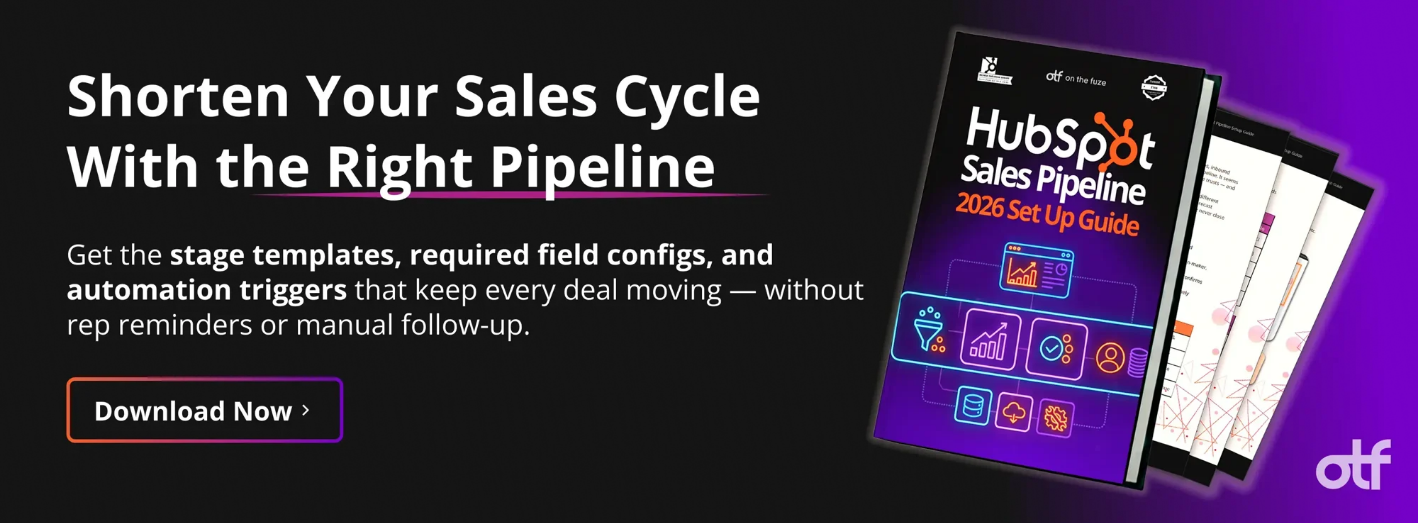
A reliable B2B sales pipeline has five core stages that track prospect commitments — not rep activity.
Most SMB pipelines perform best with five to seven stages. Fewer than five and you lose visibility into where deals stall. More than seven and you create administrative overhead without adding forecasting accuracy.
The five stages that work across most B2B SMB deal processes:
| Stage | What It Actually Confirms |
|---|---|
| Discovery Scheduled | A qualified lead has committed time for a real conversation |
| Discovery Completed | Budget, timeline, and fit have been assessed on a live call |
| Demo Done | The right stakeholders have seen what you're offering |
| Proposal Reviewed, Next Step Confirmed | The prospect has seen the numbers and agreed to a follow-up action |
| Contract Sent | A formal agreement is in their hands |
Plus two terminal stages: Closed Won (100% probability) and Closed Lost (0% probability).
Every stage in this sequence reflects something the prospect did or confirmed. That's the distinction that makes a pipeline accurate.
How Do You Know If Your Pipeline Stages Are Actually Working?
Run one test on every stage: can a rep move a deal there without any action from the prospect?
If yes, the stage is measuring rep activity — not sales progress. And a pipeline full of rep activity looks like momentum even when nothing is moving.
The most common offenders:
| What Teams Name It | What It Actually Measures |
|---|---|
| Proposal Sent | That a rep clicked send — not that the prospect read it |
| Following Up | That a rep plans to try again — not that anything happened |
| In Negotiation | That a rep is hopeful — not that terms are being discussed |
| Waiting on Decision | That the rep has stopped following up — not that a decision is near |
Rename every stage so it describes what the prospect confirmed — not what the rep did. This sounds like a minor linguistic change. Across a team of five or more reps, it's the difference between a forecast you can act on and a number you present but don't believe.°
🏆 Elite Partner Tip: Use past tense or confirmation phrasing for stage names: "Discovery Completed," "Pricing Agreed Upon," "Contract Signed." Past tense forces reps to confirm the event happened before they advance the deal. It eliminates stage inflation without requiring a single manager conversation.
Why Does Win Probability Matter More Than Deal Amount?
Because deal amount tells you what you hope to close. Win probability tells you what you're likely to close.
HubSpot multiplies each deal's amount by its stage win probability to calculate your Weighted Pipeline Value — the number that should drive your revenue forecast. If your probabilities aren't calibrated to your actual close rates, that number is fiction.
The most common miscalibration we find: every stage above Discovery is set to 80% or 90%. When all stages look the same to the forecast engine, leadership loses the ability to see where deals are actually stalling — and the weighted pipeline overstates reality by two or three times.
Accurate win probabilities require one input: your actual historical close rates by stage. Until you have 90 days of clean data, use industry benchmarks as a starting point — and recalibrate every quarter from there.
What Happens When You Don't Enforce Data at Stage Transitions?
Reps fill in what they remember — or what makes the deal look better — instead of what's true.
HubSpot has a native solution for this: Conditional Stage Properties. These are required fields that must be filled before a deal can advance to the next stage. The system stops the rep mid-move and requires the data before the transition completes. You configure it once and it enforces itself permanently.
Without required fields at the right transition points, three things happen consistently:
- You lose without knowing why. If Closed Lost Reason isn't required before a deal is marked lost, you have no data to improve your sales process.
- Your late-stage forecast is blind. A deal at Contract Sent with no documented deal amount is a black hole in your revenue projection.
- Discovery becomes a formality. If there's no required next step before a deal leaves Discovery, reps skip the hard qualification conversation because nothing forces it.
Should You Automate Your HubSpot Sales Pipeline?
Yes — but only after your process is validated, not before.
If your stage definitions are still vague when you turn on automation, deals move through the wrong stages faster. If your data quality is poor, automated sequences go to the wrong people with the wrong context. If your process isn't validated, automation scales the wrong behaviors at speed.
The right sequence is:
- Get the architecture right — Lead Pipeline separate from Deal Pipeline
- Validate stage definitions with the team
- Confirm reps are using the pipeline consistently
- Set required properties at key transitions
- Add automations last
When you do add automation, three triggers cover 90% of what SMB pipelines need on day one. Anything beyond those three should wait until the team is operating the core pipeline correctly and consistently.
How Far Can You Extend HubSpot Pipeline Automation?
Beyond native workflows, HubSpot supports fully custom, code-driven automation for teams that have outgrown point-and-click configuration.
Most SMBs start with native automations — and for the first 12 to 18 months, that's exactly where they should be. But as your sales operation scales and your CRM data becomes more complex, native workflow logic can hit a ceiling. That's when HubSpot's programmable automation layer becomes relevant.
This capability lives inside Operations Hub Professional and Enterprise and is worth understanding even if you're not ready to use it yet — because knowing it exists changes how you design your pipeline architecture from the start.
What Are Custom Coded Workflow Actions?
Custom code actions let you run JavaScript (Node.js) or Python scripts directly inside a HubSpot workflow, hosted serverlessly by HubSpot and AWS Lambda.
This means your pipeline can execute logic that no native workflow builder supports — connecting to external systems, enforcing complex data standards, or making decisions based on variables HubSpot doesn't natively track.
Common real-world applications for SMBs at scale:
- Weighted lead rotation — distributing deals to reps based on dynamic variables like current capacity, historical close rates, or territory rules, rather than simple round-robin
- Data normalization — automatically formatting phone numbers to E.164 standards, standardizing contact names, or calculating custom MRR formulas before syncing records to an external ERP
- External system enrichment — querying a proprietary database or quoting engine mid-workflow to enrich a deal record before it advances to the next stage
For teams running Node.js, HubSpot supports a curated set of pre-approved libraries within the custom code environment:
| Node.js Library | Version | Pipeline Application |
|---|---|---|
@hubspot/api-client |
^12.0.0 |
Standard. The primary client for authenticated API calls, specifically optimized for CRM v4 associations and high-volume object creation. |
axios / node-fetch |
^1.7.9 / ^3.3.0 |
Firing Webhooks. Used for making lightweight HTTP requests to external systems like custom quoting engines or ERPs. |
lodash |
^4.17.21 | Data Utility. Deep data manipulation, array sorting, and object formatting before writing back to HubSpot CRM properties. |
mmysql2 / pg |
^3.11.0 / ^8.13.0 | Database Enrichment. Direct querying of external SQL databases to enrich deal records with product usage or billing data |
@aws-sdk/client-* |
^3.600.0 |
Modular Integration. Replaces the bulky v2 SDK. Allows for enterprise-grade integration with AWS (S3, Lambda, etc.) while keeping the code bundle size small. |
A note on Python: The Python SDK is supported but carries a known limitation in 2026 — it occasionally lags behind the newest CRM v4 API endpoints. For Python-based custom actions, the recommended approach is to bypass the SDK and execute direct REST API calls using standard request libraries. This ensures compatibility with the most current HubSpot API documentation.
What Is the HubSpot v4 Automation API?
The v4 Workflows API, released in 2026, lets developers manage HubSpot workflows programmatically — creating, reading, updating, and deleting automation logic via REST API calls.
This is relevant for two specific scenarios in growing SMBs:
- Configuration as code — teams that want pipeline automation managed in version-controlled repositories rather than the HubSpot UI
- Multi-portal consistency — operations teams maintaining uniform pipeline automation logic across regional or divisional HubSpot instances
One critical requirement when using the v4 API: if a workflow accesses properties flagged as sensitive in HubSpot, the application must request and be granted specific OAuth scopes before it can read or interact with that data.
| Pipeline Object | Required Read Scope | When You Need It |
|---|---|---|
| Contact Records | crm.objects.contacts.sensitive.read |
Lead nurturing workflows that process PII or protected demographic data |
| Company Records | crm.objects.companies.sensitive.read |
ABM workflows using sensitive corporate financial data or proprietary intent signals |
| Deal Records | crm.objects.deals.sensitive.read |
Revenue pipelines containing sensitive financial metrics or confidential contract terms |
| Custom Objects | crm.objects.custom.sensitive.read |
Proprietary pipelines built on Custom Objects (e.g., healthcare subscriptions, financial events) |
Failing to configure these scopes correctly blocks API access silently — workflows appear active but stop processing data. This is one of the most common integration failures we see when teams try to build on the v4 API without prior HubSpot API experience.
What Is the Custom Action Builder?
The Custom Action Builder is a visual interface inside the v4 API ecosystem that lets developers define custom workflow actions without writing raw JSON configuration files.
Through the builder, you configure what input fields users will see inside the HubSpot workflow editor, and set the actionUrl — the secure HTTPS endpoint where HubSpot sends the webhook payload when the action fires.
Incoming requests use the v2 version of the X-HubSpot-Signature header, which must be cryptographically validated on your server using your App's Client Secret to confirm the request originated from HubSpot. By default, new custom actions are created in a hidden state ("published": false) so developers can test the payload using tools like webhook.site or a developer test account. Once testing is complete, the developer manually updates the action definition to "published": true, making it immediately available for users in the production workflow editor
This layer of HubSpot is powerful — and genuinely complex. It's designed for internal RevOps developers or HubSpot technical partners, not for self-service configuration. If your team is evaluating whether custom-coded automation is the right next step for your pipeline, our team can assess your current setup and tell you whether you need it.
What Are the Three Mistakes That Break Most HubSpot Pipelines?
These aren't beginner mistakes. We find them in portals managed by experienced admins at companies that have been on HubSpot for two or three years.
They're subtle. And because they're subtle, they compound quietly — making your forecast less accurate, your data less trustworthy, and your reps less confident in the system over time.
Mistake 1: Dirty Data Underneath Everything
The problem isn't the pipeline structure. It's what's already inside it.
Old contacts with no activity. Deals with no close date. Companies with no industry assigned. Duplicate records that split engagement history across two profiles. When reports pull from this data, the numbers are wrong. When a new rep looks at the board and sees 400 deals with no close dates and no recent activity, they stop trusting the system. Rep disengagement is more expensive than any misconfigured workflow.
The diagnosis is simple: does your pipeline board reflect active, real opportunities — or is it a graveyard of stale records that no one has cleaned up?
Fix the data before you build anything on top of it. A clean CRM without advanced features will outperform a feature-rich CRM built on bad data every time.
Mistake 2: The Parking Lot Stage
Every broken pipeline has one — the stage where deals go to stop moving.
It's usually named something like "In Negotiation," "Pending Decision," or "Following Up." The entry criteria are too loose, there's no clear exit requirement, and deals pile up there because reps don't know what else to do with them.
The cost is invisible until it isn't. Leadership sees a $2M weighted pipeline and is genuinely confused when $600K closes at quarter end. The parking lot stage is why.
Two signs you have one:
- One stage has significantly more deals than any other
- The average time-in-stage for that stage is more than twice any other stage
The fix requires two changes — both mandatory. Tighten the stage definition so it requires a prospect-confirmed event to enter. And build a time-in-stage alert so management is notified when any deal goes stagnant. One without the other doesn't work.
Mistake 3: Automating Before the Process Is Proven
HubSpot makes it easy to build workflows. That's its greatest strength and its most common trap.
Teams that automate before their process is validated end up with a system that scales the wrong behaviors at speed — and makes the failures harder to trace because everything looks like it's running.
The diagnostic question: are your reps using the pipeline correctly and consistently, without reminders from management? If the answer is no, automation will accelerate the problem, not solve it.
Advanced features — multi-step sequences, complex workflows, AI-driven actions — go in last. After the foundation is solid. After the team is operating the pipeline correctly. That's when automation becomes leverage instead of liability.
How Does the Sales Workspace Connect to Your Pipeline?
The Sales Workspace is where your pipeline comes to life for reps — and it only works well if the pipeline underneath it is structured correctly.
Access it via Sales → Sales Workspace in the left navigation. It consolidates everything a rep needs into one place: their schedule, tasks, active prospects, and open deals. The goal is to eliminate the 10-tab shuffle and keep reps focused on their next best action.
The most useful management view is Stalled Deals — a preset inside the Deals tab that automatically surfaces any deal sitting in a stage 20% longer than your team's historical average. It's not a report you build. HubSpot calculates it from your own pipeline data and flags it in real time.
If your stage definitions are accurate, Stalled Deals becomes a precision coaching tool. If your stage definitions are vague — if deals are moving based on rep activity rather than prospect milestones — the Stalled Deals view will be full of noise and useless for coaching.
The pipeline structure and the workspace effectiveness are directly connected.
FAQ: HubSpot Sales Pipeline
Does HubSpot have a sales pipeline?
Yes. Every tier of Sales Hub includes a configurable sales pipeline. You can customize stages, set win probabilities, enforce required fields, and attach automations. Sales Hub Professional and Enterprise add a separate Leads object for a dedicated pre-qualification pipeline.
What are the 5 stages of a sales pipeline in HubSpot?
A standard B2B SMB pipeline uses five core stages: Discovery Scheduled, Discovery Completed, Demo Done, Proposal Reviewed / Next Step Confirmed, and Contract Sent — plus Closed Won and Closed Lost as terminal stages. Each stage should represent a confirmed prospect action, not a rep action.
What is the difference between a Lead Pipeline and a Deal Pipeline?
The Lead Pipeline (Sales Hub Professional and Enterprise) tracks pre-qualified prospects managed by BDRs. The Deal Pipeline tracks qualified opportunities with a confirmed budget, decision-maker, and close date — managed by Account Executives. Mixing them inflates your forecast and reduces rep focus.
How do I know if my HubSpot pipeline stages are accurate?
Apply the milestone test to each stage: can a rep move a deal there without any action from the prospect? If yes, the stage is measuring rep activity — not sales progress — and your forecast is unreliable.
What is weighted pipeline value in HubSpot?
Weighted pipeline value is calculated by multiplying each deal's amount by its stage win probability. It's HubSpot's primary forecast metric. If win probabilities aren't calibrated to your actual historical close rates, the weighted total overstates your revenue outlook.
When should I add automations to my HubSpot pipeline?
After your stage definitions are validated and your team is using the pipeline consistently. Automating before the process is proven scales the wrong behaviors and creates failures that are difficult to trace.
How many pipelines should a small business have?
Most SMBs need one Lead Pipeline and one Deal Pipeline. Add a second Deal Pipeline only when the sales motion — stages, timelines, required data — is materially different from your primary process.
What is the Stalled Deals view in HubSpot?
A preset in the Sales Workspace Deals tab that flags deals sitting in a stage 20% longer than your team's historical average. It's most useful for pipeline reviews and rep coaching when the underlying pipeline stages are accurately defined.
What is a custom coded workflow action in HubSpot?
A custom code action lets you run JavaScript (Node.js) or Python scripts natively inside a HubSpot workflow, hosted serverlessly by HubSpot and AWS Lambda. Available on Operations Hub Professional and Enterprise, it enables logic beyond native workflow capabilities — such as weighted lead rotation, data normalization, and real-time enrichment from external databases.
What is the HubSpot v4 Automation API?
The v4 Workflows API is a RESTful API that lets developers create, read, update, and delete HubSpot workflow automation programmatically. It's designed for teams managing pipeline automation as code or maintaining consistent logic across multiple HubSpot portals. It requires specific OAuth scopes when workflows interact with sensitive CRM properties.
What are HubSpot sensitive data scopes for pipeline automation?
Sensitive data scopes are OAuth permissions required when an external application accesses CRM properties flagged as sensitive. The four pipeline-relevant scopes are crm.objects.contacts.sensitive.read, crm.objects.companies.sensitive.read, crm.objects.deals.sensitive.read, and crm.objects.custom.sensitive.read. Missing scopes cause silent API failures — workflows appear active but stop processing data.
How do you choose a HubSpot consultant for sales pipeline setup?
Look for a partner with verified HubSpot certifications and a track record specifically in pipeline architecture — not just general CRM implementation. The right consultant audits your current setup before recommending anything, prioritizes fixes by revenue impact, and configures your pipeline to match how your team actually sells. At On The Fuze, every engagement starts with a pipeline audit so we know exactly what to fix and in what order. Book a free consultation →
Key Takeaways
- HubSpot has two pipeline objects. Lead Pipeline for pre-qualification, Deal Pipeline for qualified revenue. Mixing them is the #1 source of forecast inaccuracy in SMB portals.
- Every stage should be a prospect milestone — not a rep action. If a rep can move a deal without prospect confirmation, the stage is measuring the wrong thing.
- Win probability drives your forecast. Miscalibrated probabilities make your weighted pipeline a fiction. Recalibrate quarterly against your actual close rates.
- Required fields enforce data quality automatically. Three fields at the right stage transitions eliminate the most common reporting gaps — without manual follow-up.
- Automate after the process is validated — not before. Automation multiplies what's already there, good or bad.
- Dirty data corrupts everything. Clean your CRM before adding features on top of it.
- The parking lot stage is a structural problem, not a people problem. Fix the definition and build the alert — both steps are required.
- The Sales Workspace only works well if the pipeline underneath it is accurate. Structure and execution are directly connected.
- Custom coded workflow actions and the v4 API unlock a programmable automation layer for teams that have outgrown native workflows — but they require the pipeline foundation to be solid first.