
How On The Fuze Turned Wintec Industries' Spreadsheet-Based Sales Process Into a Single Source of Truth in HubSpot


How Do You Move a Sales and Marketing Team Off Spreadsheets and Into a Single CRM?
You setup HubSpot's sales tools and install tracking correctly before you build a single report, migrate contacts, companies, and deals as one connected data set instead of separate files, then layer in dashboards once the underlying data can be trusted.
- Website tracking has to be verified against the right HubSpot account before any traffic number means anything.
- Company and contact imports should happen together, not as isolated files, so records link to the right company from day one.
- Deal ownership needs to transfer cleanly during migration. A deal with no clear owner in the new system becomes a deal nobody works.
- Reporting only earns trust once the data behind it has been cleaned and verified, not before.
- Not every available feature needs to launch at once. A foundational build now can support automation later without rework.
Wintec Industries came to On The Fuze needing exactly this: a working HubSpot instance that replaced scattered spreadsheets and a previous system with one place sales and marketing could both rely on.
| Client | Wintec Industries |
| Industry | Manufacturing |
| Locations | Newark, CA - United States. |
| HubSpot product | Marketing Hub + Sales Hub |
| Engagement type | HubSpot Marketing Hub and Sales Hub setup and onboarding |
| Legacy system | Spreadsheets |
| Records migrated | Contacts, companies, and deals |
| Automations built | 1 workflow, additional workflows and deal-stage automation deferred by client request |
| Reports delivered | 22 reports across 3 dashboards (2 sales, 1 marketing) |

Problem
How do you know if your business has this problem?
Before looking at Wintec Industries specifically, here are the signs that a business is running on a fragmented system rather than a connected one:
Signs to look out for:
- Contacts and companies live in spreadsheets or a previous tool, and nobody is fully sure which version is current.
- Deals get tied to whichever rep happens to be working them, with no documented ownership if that person leaves or changes roles.
- There's no dashboard leadership that can be open to see sales activity or marketing performance. Instead, someone manually pulls numbers when asked.
- Website analytics either aren't installed yet, or internal traffic and office visits are mixed in with real visitor data, making the numbers unreliable.
- Lead capture happens through a form that lives outside the CRM, so submissions have to be manually re-entered or aren't captured at all.
If 2 or more of these sound familiar, the underlying problem usually isn't a lack of effort. It's a lack of a single connected system.
Wintec's Pipeline Problem: Why Is a Spreadsheet Risky for Tracking Deal Ownership?
Wintec Industries was setting up HubSpot Marketing Hub and Sales Hub from a previous system and a set of working spreadsheets. 3 risks surfaced directly during the project:
- No verified web tracking existed yet: The HubSpot tracking code had to be located, confirmed against the correct account, and installed before any traffic or lead-source reporting could be trusted. Office IP addresses also had to be excluded so internal visits didn't skew the numbers.
- Deal ownership wasn't cleanly assigned: As part of the deal import, a block of deals previously tied to one team member had to be explicitly reassigned to a different in-house owner. Left alone, that pipeline would have stayed tied to a single person's memory of who owned what.
- No consolidated reporting existed: Sales and marketing performance weren't visible in one place. The team confirmed interest in a standard set of sales and marketing reports specifically because nothing equivalent existed before.

Solution
To customize HubSpot to Wintec's needs, below are the questions we answered...

How Do You Build a Foundational HubSpot Instance for Marketing and Sales?
You get the tracking and account settings right first, migrate contacts, companies, and deals as one connected data set, then layer in dashboards and lead capture once that foundation is verified. Automation gets added afterward, once the team has actually worked inside the new system. That's the order we followed for Wintec Industries.
How Do You Set Up HubSpot So Reporting Is Accurate From Day One?
Accurate reporting starts before a single dashboard is built. You verify tracking against the correct account, strip out internal traffic, and lock in company settings so every report built later inherits clean data instead of noise.
For Wintec Industries, this is what that looked like:
- We located and installed the correct website tracking code, then confirmed it matched the intended HubSpot account rather than assuming the first code sent was correct.
- We excluded 3 office IP addresses from site tracking so internal traffic wouldn't distort visitor and lead-source data.
- We configured company settings, including primary address, timezone, currency, and fiscal calendar, so reporting periods and CAN-SPAM footers would be accurate from the start.
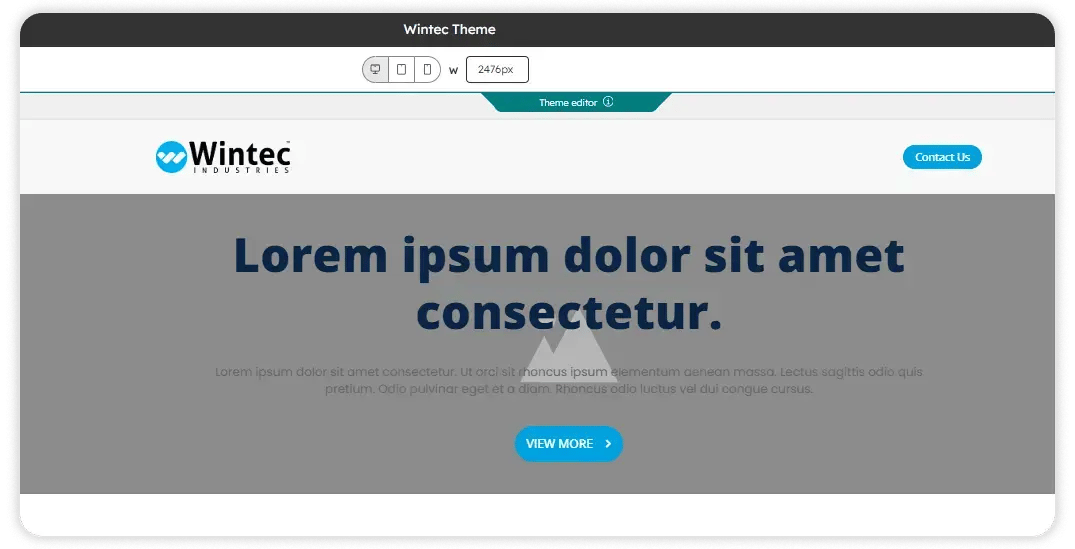
- We applied the brand's visual identity directly to HubSpot: the company's Aptos font, primary blue branding, and logo and favicon assets pulled from their brand guidebook.
- You need this step whenever you're standing up a new HubSpot instance. Skipping tracking verification means every report built afterward inherits the same bad data.
.svg)
How Do You Migrate Contacts, Companies, and Deals Without Losing Data?
You migrate contacts, companies, and deals as one connected set instead of isolated files, and you resolve deal ownership explicitly rather than leaving it for someone to sort out after the fact. For Wintec Industries, the migration worked like this:
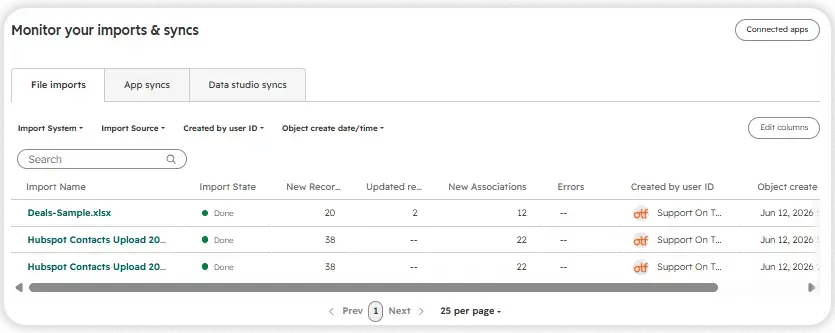
- We imported contacts and companies together from spreadsheet exports, working through more than one revision of the file as the client's team cleaned and resubmitted records.
- We imported existing deals into the new sales pipeline, matching each deal to its correct company or contact record. We reassigned a set of deals from one team member to a different named in-house owner, so pipeline accountability didn't get lost in the handoff.
- No opt-out or suppression list existed from a previous sending platform, so there was nothing legacy to reconcile before Wintec Industries started sending from HubSpot.
- You need this pattern any time you're moving off a previous CRM or spreadsheet system: import contacts and companies as a connected set, resolve deal ownership explicitly, and don't force in objects the business doesn't actually use.
How Do You Build Sales and Marketing Dashboards that Leadership Will Actually Use?
You scope dashboards to what the sales team and leadership will actually look at, confirm the report list with the client before building, and wait until the underlying data is clean enough to trust. For Wintec Industries, we...
| Dashboard | Report | What It Covers |
| Sales Dashboard (General) | 5 | General sales pipeline activity |
| Sales Dashboard (Sales Manager) | 8 | Sales manager's view of the pipeline |
| Marketing Dashboard | 9 | Site visits and new contacts by day, landing page views and submissions, top-performing landing pages, blog views and bounce rate, top-performing blog posts, email send and engagement totals, contact growth over time, and top personas |
You need this kind of reporting layer once your data is clean enough to trust. Building dashboards before the underlying imports and tracking are verified just produces confident-looking wrong numbers.
Why Delay Deal Automation and Workflow Builds?
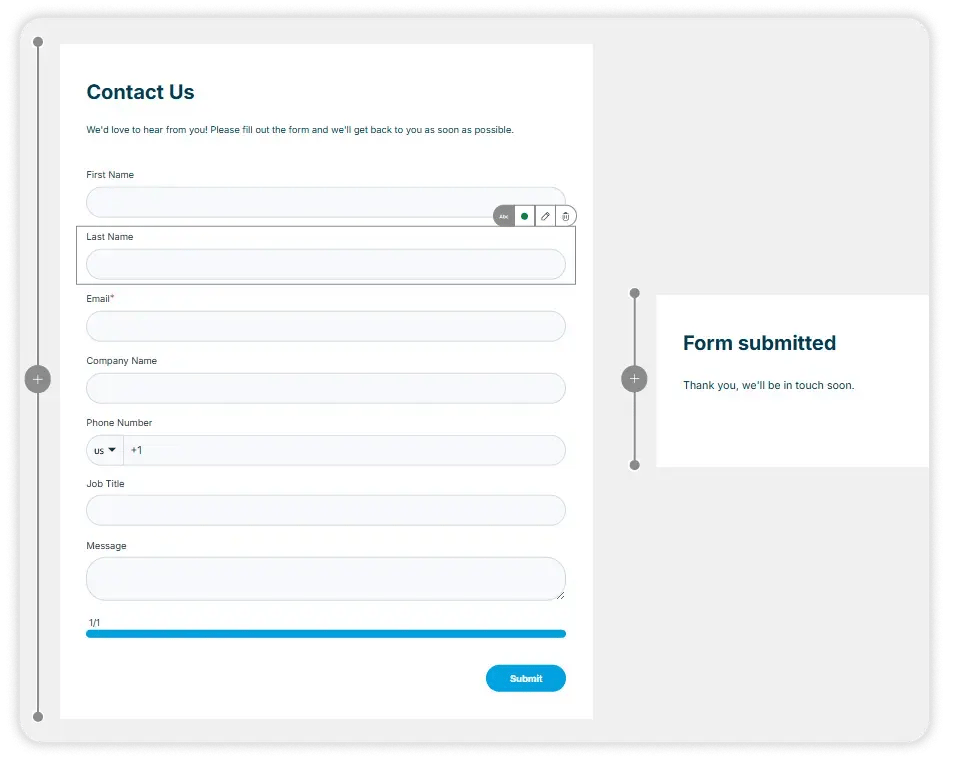
You rebuild the form natively inside HubSpot instead of leaving it on an external tool, so every submission creates or updates a contact record automatically. For Wintec Industries, that meant:
- Wintec Industries confirmed they wanted the sales and marketing dashboards, the contact us form, and the core data migration. They did not move forward with two additional nurture workflows, deal-stage automation, or custom snippets and templates during this phase.
- We didn't push those builds through anyway. A workflow built around a sales process that hasn't been tested yet in the new system usually has to be rebuilt within a few months.
- This wasn't a scope cut. It was a sequencing decision: get the foundation right, then automate on top of a system the team has actually used.
- You'll recognize this pattern if you're evaluating a HubSpot partner who wants to sell you every available feature in week one. A foundational build that leaves room to add automation later is usually the stronger long-term choice.
.png?width=60&height=46&name=Vector%20(3).png)
Results
What Did Wintec Industries Get Out of Its HubSpot Setup?
- Website tracking installed and verified against the correct HubSpot account, with 3 office IP ranges excluded from analytics.
- Company settings configured: primary address, Pacific timezone, USD currency, and a January-to-December fiscal calendar.
- Brand theme applied, including the logo, favicon, and the company's Aptos font.
- Contacts, companies, and deals imported from the previous system, with deal ownership explicitly reassigned during migration.
- 3 email templates built (standard, full, and newsletter) using the company's live website as a visual reference.
- 2 sales dashboards live, covering five general and eight sales-manager-level reports.
- 1 marketing dashboard live, covering nine reports across traffic, landing pages, blog performance, and email engagement.
- A native Contact Us form built in HubSpot with 7 fields, replacing the external version.
These results translate into the following business outcomes:
- Single source of truth: Contacts, companies, and deals now live in one connected CRM record set instead of spreadsheets and a previous system.
- Real-time business visibility: Tracking was installed and verified before any dashboard was built, so the numbers leadership sees reflect actual site activity.
- Clearer performance reporting: Sales and marketing each have a dashboard that didn't exist before, giving both teams a shared view of performance.
- Reduced reliance on tribal knowledge: Deal ownership was explicitly reassigned and documented in HubSpot during migration, instead of staying tied to one person's memory.
- Growth-ready systems: The foundational build gives Wintec Industries room to add deal automation, more workflows, and snippets later without redoing the base setup.

Key Takeaways
- Get tracking and account settings right before you build a single report.
- Migrate contacts, companies, and deals as one connected data set, not as separate files.
- Resolve deal ownership explicitly during migration so pipeline accountability doesn't get lost.
- A native lead capture form ties your website directly into your CRM with no manual re-entry.
- Declining a feature during setup isn't a loss. It's a sequencing decision.
Would this approach work for a company like mine?
This approach fits companies that: Are moving off a previous CRM, email platform, or spreadsheet-based sales process and need contacts, companies, and deals migrated cleanly. Need working sales and marketing dashboards before investing in deeper automation. Want their website's lead capture form connected directly to their CRM instead of living on a separate tool. Are running, or evaluating, Marketing Hub and Sales Hub together and want a foundational build before adding workflows and deal automation. Would rather sequence their HubSpot rollout in phases than have every available feature turned on in week one.
Frequently Asked Questions
What does a foundational HubSpot Marketing Hub and Sales Hub setup include?
Why exclude office IP addresses from website tracking?
Without excluding them, internal visits get counted as real traffic, which inflates and distorts visitor and lead-source reporting.
What happens to deal ownership during a CRM migration?
Ownership should be explicitly reassigned and documented as part of the import, not left for someone to sort out after the fact.
Do I need a product catalog imported into HubSpot?
Should I build workflow automation during initial HubSpot setup?
Not necessarily. Automation built around an untested process in a new system often has to be rebuilt once the team has used it for a while.
What if I don't have an opt-out or suppression list from my old email platform?
That's fine. If one doesn't exist, there's nothing to reconcile before you start sending from HubSpot.
How many reports should a sales dashboard include?
There's no fixed number. What matters is that the reports match what the sales manager and leadership actually need to see day to day.
Can a Contact Us form be rebuilt natively in HubSpot instead of using an external tool?
Yes. Rebuilding it inside HubSpot means submissions land directly on a contact record without manual re-entry.

Others Case studies


